
Dry cutting
Cut dry, the way it falls. $65 with a blow-dry.
Native page and section transitions: a card's photo morphs into the next page's hero (and back), and same-page switches cross-fade with a shared-photo morph. No library.
Cut dry, the way it falls. $65 with a blow-dry.
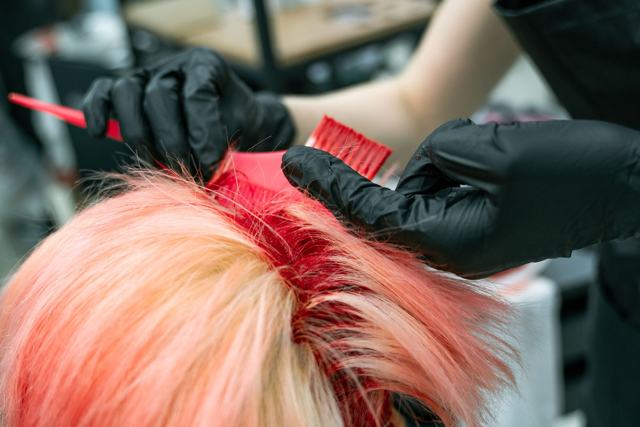
Strand test first, price before we mix. From $85.
 Colour and gloss
 Cuts and fades
Open a card: its photo becomes the next page's hero, and Back morphs it home. Chrome/Edge and Safari 18.2+; Firefox navigates normally.
CSS opts every same-origin navigation into a cross-document View Transition (@view-transition). A link with data-vt hands its image the shared name on pageswap, so it grows into the destination's .wbl-vt-hero; on Back, pagereveal gives the name to the card you came from. WBL.vt(fn) wraps any DOM change (tab, filter, hours week/today) in a same-page transition with an instant fallback, and [data-vt-toggle] wires segmented buttons to panels.
<!-- View transitions (WBL Code Library) -->
<!-- in <head>: -->
<script>document.documentElement.classList.add('wbl-js')</script>
<link rel="stylesheet" href="/wbl/view-transitions/module.css">
<script src="/wbl/view-transitions/module.js" defer></script>

<!-- markup: -->
<!-- 1) same-page switch: buttons swap panels through a View Transition -->
<div class="wbl-vt-seg" data-vt-toggle="feature" role="group" aria-label="Show">
  <button type="button" data-vt-show="cut" aria-pressed="true">Cuts</button>
  <button type="button" data-vt-show="colour" aria-pressed="false">Colour</button>
</div>
<article data-vt-panel="feature" data-vt-id="cut" class="vt-feature">
  <img src="../_demo/img/cut-detail-640.jpg" width="640" height="427" alt="Dry cut in progress" style="view-transition-name:wbl-vt-photo">
  <div style="view-transition-name:wbl-vt-text"><h3>Dry cutting</h3><p>Cut dry, the way it falls. $65 with a blow-dry.</p></div>
</article>
<article data-vt-panel="feature" data-vt-id="colour" class="vt-feature" hidden>
  <img src="../_demo/img/color-apply-640.jpg" width="640" height="427" alt="Colour going on foils" style="view-transition-name:wbl-vt-photo">
  <div style="view-transition-name:wbl-vt-text"><h3>Colour</h3><p>Strand test first, price before we mix. From $85.</p></div>
</article>

<!-- 2) card → page: the photo morphs into the next page's hero (that page has <img class="wbl-vt-hero">) -->
<a data-vt href="color.html" class="vt-card"><img src="../_demo/img/color-rinse-640.jpg" width="640" height="427" alt="Colour rinse at the basin"><span>Colour and gloss</span></a>